Kalimba

Can two people play Kalimba on one screen?
Yes. Two players can play Kalimba co-op on one iPad: same screen or split screen.
A puzzle platformer built around steering totem pieces in sync. The co-op mode puts two players on one iPad.
How you play together
- Shared touchscreen
Two players on one iPad, facing each other. Split screen, each player on their half of the touchscreen. No controllers.
Co-op is only available on iPad.
How to start co-op in Kalimba
- Open the main menu and choose co-op.
- Lay the iPad flat between you and sit face to face. Each player gets one half of the screen with its own touch buttons.
- Touch only, no controllers. Expect to lean over the tablet rather than sit back on the couch.
The details
- Same screen, both at once
- Yes
- Split screen
- Yes
- Pass the device, taking turns
- No
- Two controllers on one device
- Not confirmed
- Same mode on Android
- Not on Android
- Online, a device each
- Not confirmed
- Players together
- 2
- Controllers
- Controller support not confirmed
Worth knowing
Co-op is iPad only and touch only: you sit head to head over the tablet, not leaning back with controllers. Last updated in 2017, ran fine for us.
Our review
I really like Kalimba. This is definitely a game I will keep installed. I like the main character, and I like that he talks out loud.
It is not just a jump and run like Mario or Rayman. It is a lot more strategic: each player handles two totems at the same time, most of the time on two levels, and you really have to cooperate. You cannot solve the co-op levels without it. You have to think and talk together, so this is a game where you are actually playing together, which is awesome.
I played it with my wife, who is not a usual player, and she got into it right away. The controls are just left, right and jump. But because of the puzzles and the teamwork, it is challenging, yet perfectly doable for non-players.
The only thing I did not like is the playing position. Co-op is split screen on one shared touchscreen, so instead of leaning back on the couch with controllers, you sit head to head over the tablet, upright and bent forward. Not really comfortable. I just wish it could be played with controllers.
Entering co-op is very simple, straight from the main menu.
I love the art style, the music, the concept, everything. The awkward playing position on one shared screen keeps it at 8. With controller support it would earn a 9. Still, honestly I would recommend you try it, especially if you want an experience together.
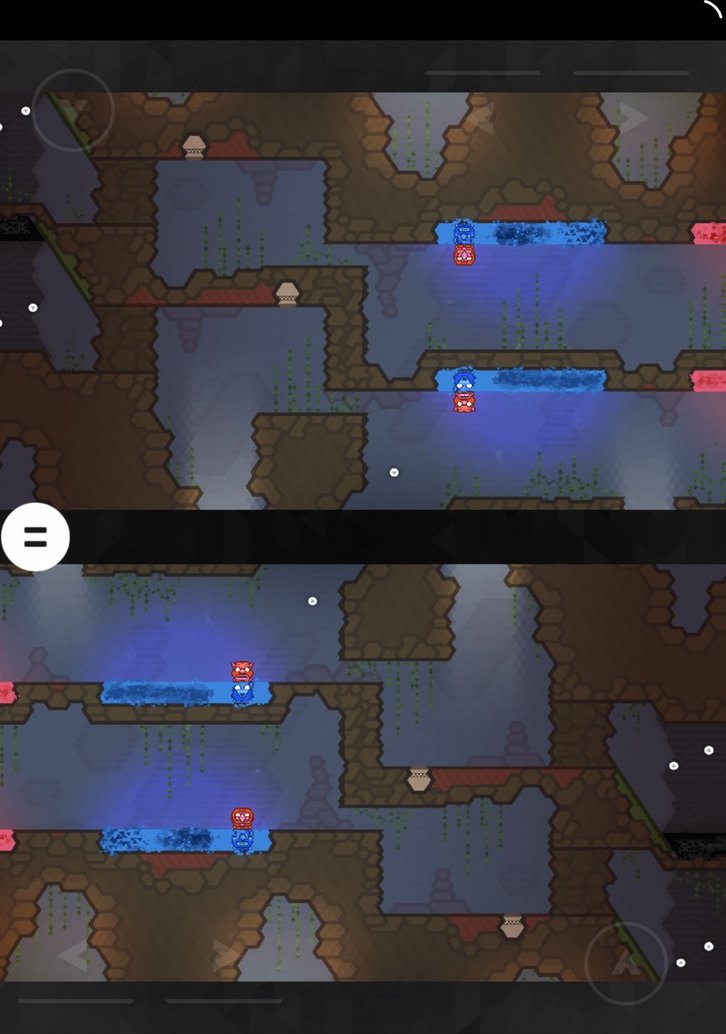
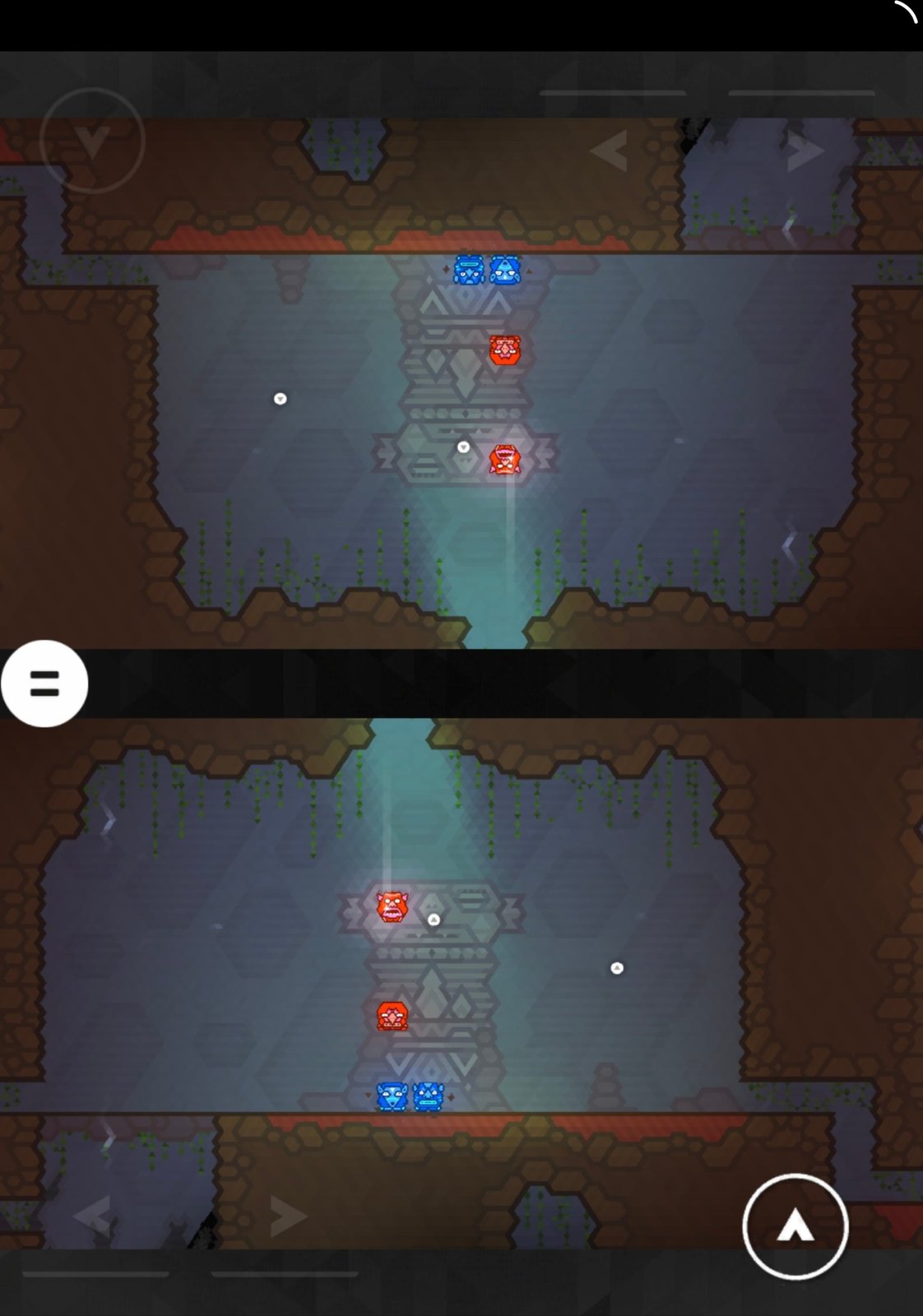
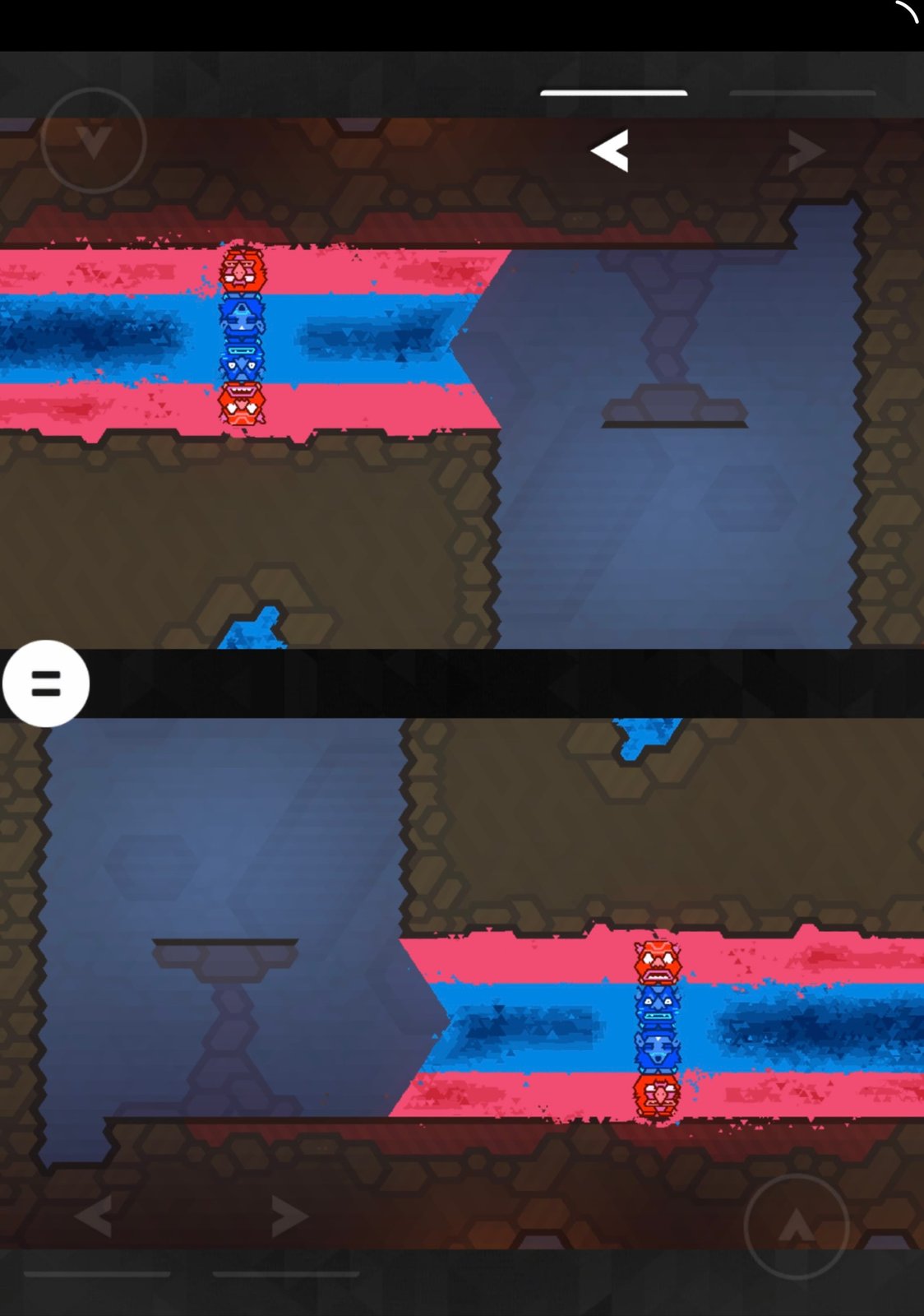
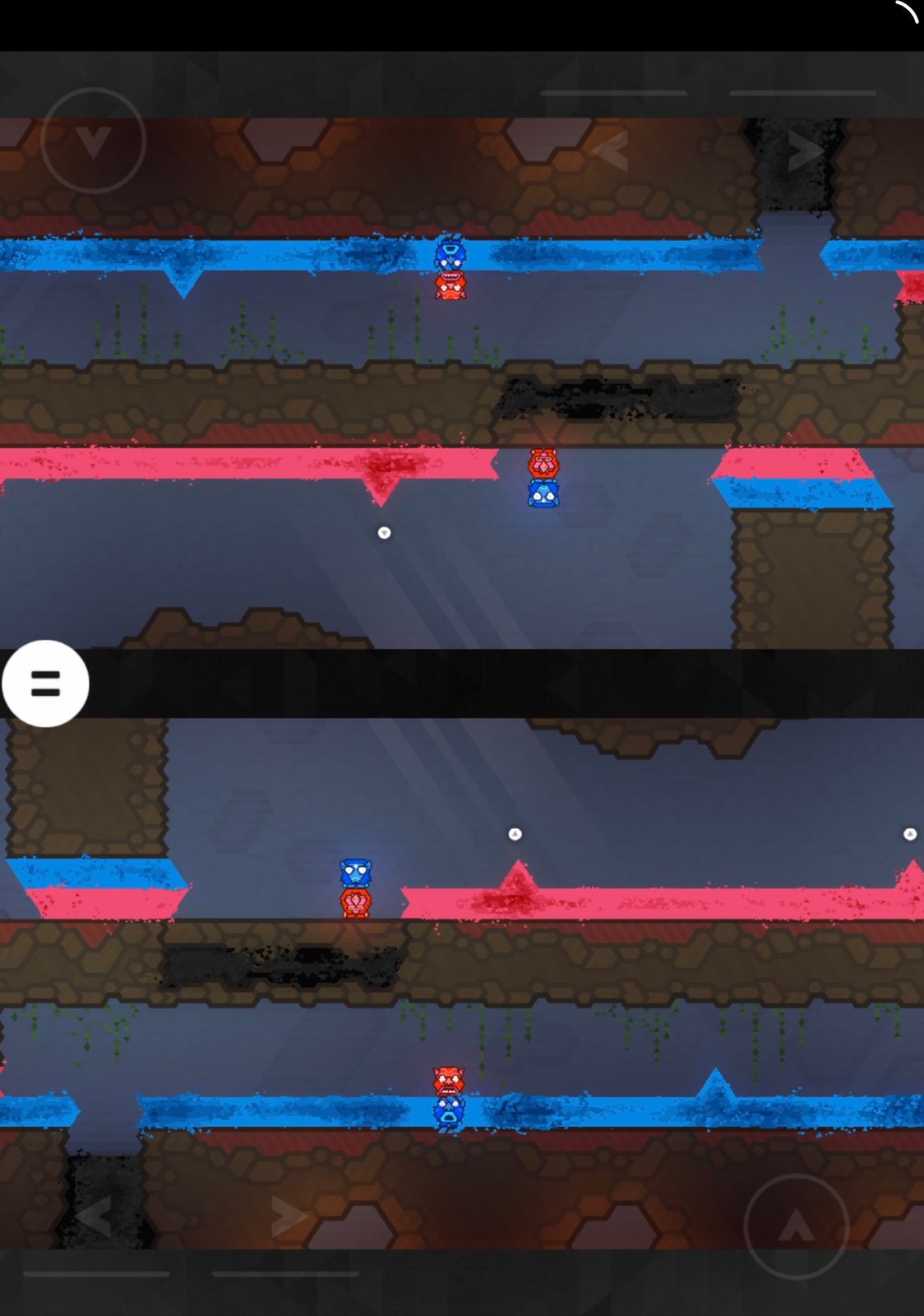
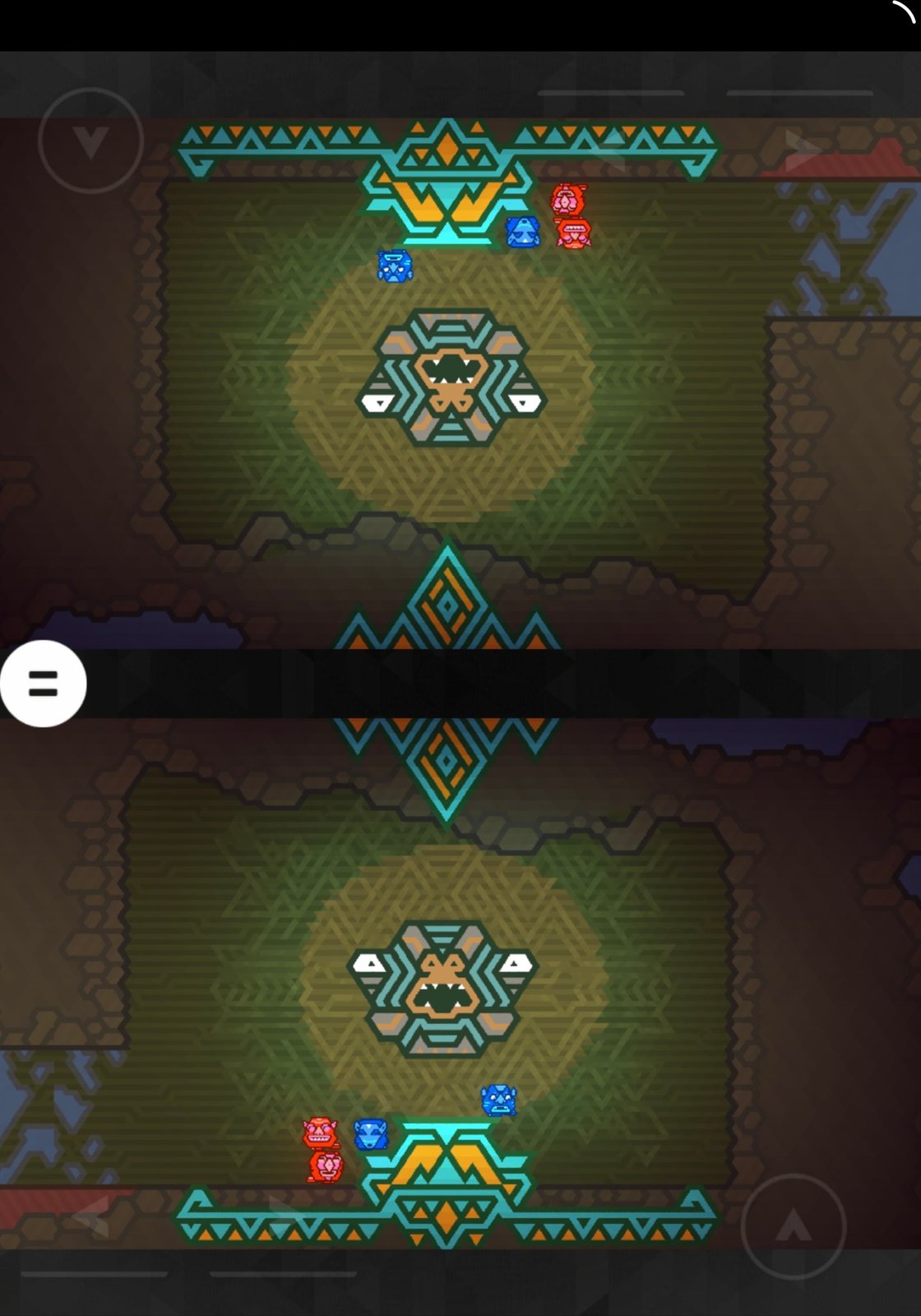
Screenshots taken by us while playing. Kalimba, developed by Press Play, published by Flashbulb.
Where this comes from
We played it ourselves.
- Publisher statedLocal co-op on one device, iPad only
Share a local co-op challenge on one device - a fiendishly challenging experience that will make or break any friendship. Co-op is only available on iPad.
apps.apple.com - Community reportedTwo players on one iPad, facing each other
The iPad version in particular will support two players on one iPad, facing each other.
toucharcade.com
More like this
- Tallowmere 2Two controllers
- The Last GameTwo controllers
- TallowmereTwo controllers
- Pikmin BloomOnline


